
Skip to content

Brain & spine tumor communities

Understand the research.Prepare your questions.

Find clinical trials, understand publications and follow the news — with original sources and context for each community.

  • 9 specialist communities
  • Original sources in every reading path
  • Built from a patient’s experience

Explore examples from the current interface. All demonstration data is fictional; personal health tools are previews.

Scroll to explore

Explore the platform

Research and resources,organized by community.

Read a publication, review a trial record or catch up on news. Each area identifies its sources and keeps different types of information distinct.

A pipette dispensing liquid into laboratory containers
Illustrative imagePhoto: Louis Reed / Unsplash

Publications

Understand what a paper found.

Read the main findings, who was studied and the limitations alongside the original publication. Where analysis is available, explore the evidence and links to earlier research. An account lets you save publications to revisit.

  • Findings and study population
  • Evidence and limitations
  • Original source and earlier research
Sources and scope of the analysis

Publications retain their source and bibliographic context. Preprints and other evidence types need to be read differently. Analysis depends on the information available for each publication.

Publications and clinical trial records have their own areas. Neither is a treatment recommendation.
Publications · research in contextDemonstration
Tolmi Health publication interface showing a clearly labeled fictional research example Enlarge screen
Real product interface · fictional example data

Clinical trialsPersonalization preview

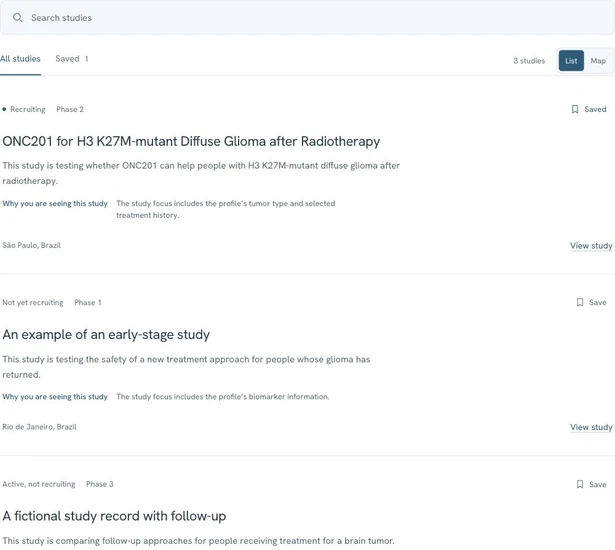
Clinical trials, explained.

Open a trial record to review its phase, recruitment status, criteria and research locations. Check the registry and last update before discussing the study with your care team. The personal view shown here is a preview using a fictional profile.

  • Phase, recruitment status and criteria
  • Research locations and original registry
  • Study record and update date
About the personalization preview

The personalization preview uses a fictional diagnosis, markers, treatments and location. It illustrates how context can organize studies to explore. Personal health data features are being prepared; do not enter real medical information.

The study team confirms eligibility. Tolmi Health helps you prepare the questions.

Clinical trials · personalization previewDemonstration
Tolmi Health clinical trial interface with a fictional profile and study examples Enlarge screen
Real product interface · fictional example data

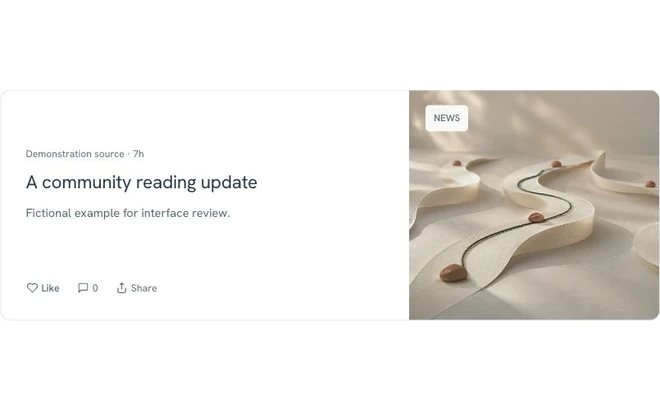
News & Radar

Follow news and research topics.

Read community news with a source and date, then explore the community brief. With an account, save content to your library or follow a topic in Radar. Saving an article, marking interest in a trial and following a topic are separate actions.

  • News with source and publication date
  • Community briefs and saved reading
  • Topics followed in Radar with an account
Coverage and content types

News, publications, preprints and trial updates are different kinds of information. Following a topic helps you revisit it; it does not guarantee instant alerts or complete coverage.

Your library keeps information you want to explore. Saving an item does not validate a treatment.

News · sources and topicsDemonstration
Tolmi Health news interface with fictional headlines and clearly identified content types Enlarge screen
Real product interface · fictional example data

My HealthPreview

Health tracking, in preview.

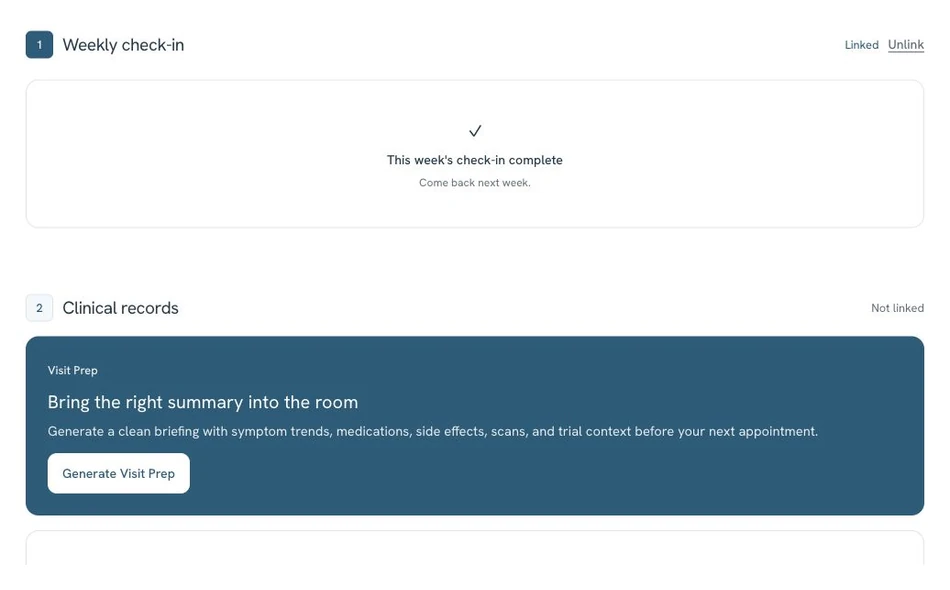
The health tools being prepared include check-ins, symptom and medication records, and a personal timeline. The example here shows a weekly check-in with fictional responses. Real medical information must not be entered in this phase.

  • Check-ins and symptom records
  • Medication and dose records
  • Treatment history and timeline tools
What this preview represents

The interface illustrates tools under preparation, using fictional data. Patient records and caregivers’ own experiences remain distinct. Personal health features are not open for real medical data in the current phase.

Personal health data features are being prepared. For now, explore research, trials and topics of interest. Do not enter real medical information. Data use and availability

My Health · weekly check-inDemonstration
Tolmi Health weekly check-in preview with five questions and fictional example responses Enlarge screen
Real product interface · fictional example data

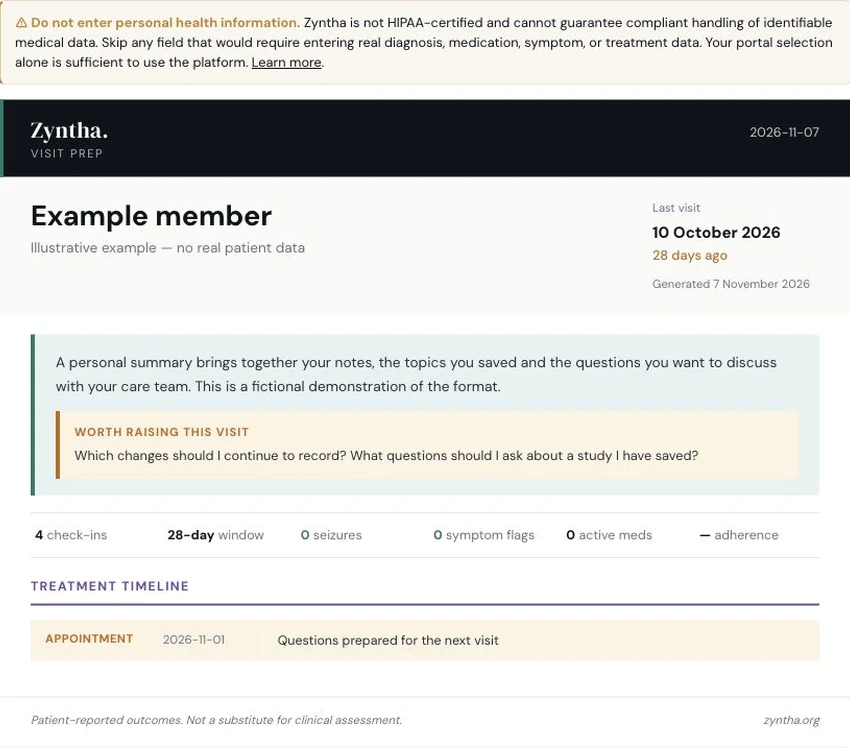
Visit preparationPreview

A summary for yournext appointment.

See an example of a printable brief with recent changes, treatment history, research interests and questions for the care team. This preview uses fictional records; personal health tools are still being prepared.

  1. Recent check-ins, symptoms and changes
  2. Treatment history and studies marked as interests
  3. Questions to discuss with the care team
Explore available resources

Preview with fictional data. Personal health features are being prepared. Not a substitute for validated clinical assessment. Data use and availability

Visit brief · previewDemonstration
Tolmi Health visit brief with fictional records and questions for a care team Enlarge screen
Real product interface · fictional example data

What you can do in Tolmi Health

The catalog and member tools serve different purposes. Access depends on the area and current beta permissions; personal health features are shown only as previews.

What you can do in Tolmi Health
FeatureWhat you doWhat you findAccess
Clinical trialsExplore trials by tumor community and review their criteria.Registry, phase, recruitment status, locations and record updates.Catalog by community. Personalization is a preview.
PublicationsRead the analysis, check the original paper and save it to revisit.Findings, study population, evidence, limitations and source.Browse by community; saving requires an account.
News & RadarRead community news and follow topics in Radar.Dated news with sources, community briefs and a feed of followed topics.News by community; Radar and saved items require an account.
My Health · previewExplore examples of check-ins, medication records and visit preparation.Fictional records, timeline tools and a visit brief example.Preview only. Do not enter real medical information.
Community & caregiversAsk questions, share resources and join member conversations.Moderated discussions, groups and space for caregivers’ own experiences.Account and group permissions. Personal health links are in preparation.
Research WalletReview participation-related balances and transactions when an initiative is available.A record of research participation transactions.Account and initiative-specific rules. No promise of payment or clinical benefit.
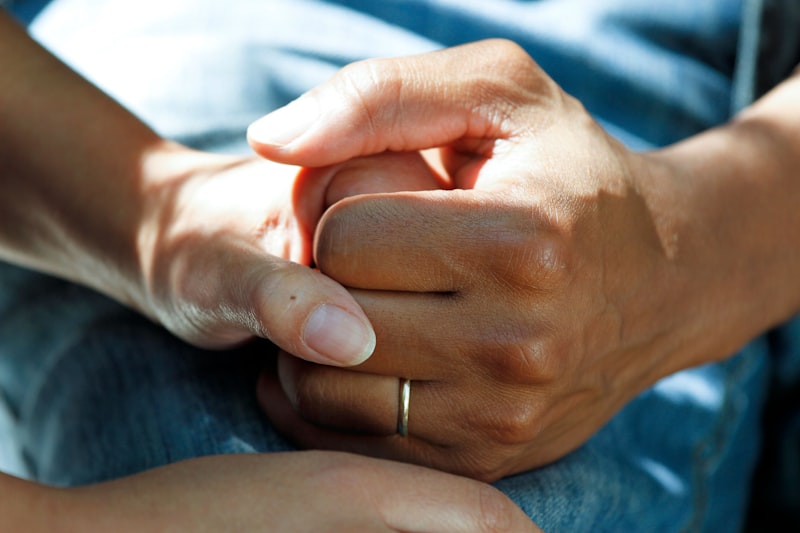
Two people holding hands
Illustrative imagePhoto: National Cancer Institute / Unsplash

Community and caregivers

Questions, experiencesand member groups.

Member spaces bring together questions, replies and shared resources, with moderation. Caregivers have space for their own experiences. Access to another person’s records requires the appropriate consent and permissions.

Community & groups

Share experiences, ask questions and take part in member spaces with moderation.

Find a conversation

A place for caregivers

A community for your own experience. Consented patient links and distinct health records are part of the tools being prepared.

Learn about the community

Guides you can return to

Understand terms and explore resources specific to your tumor community, at your own pace.

Explore the guides

Participation in research

Choose whether to take part in community research initiatives when opportunities are available.

Explore participation
About research participation and Research Wallet

Participation is voluntary. Available initiatives can include research invitations and community input. Research Wallet provides a record of participation-related balances and transactions; opportunities and rewards depend on the specific initiative. Participation does not promise payment or clinical benefit.

How to get started

  1. Choose a community

    Open a tumor portal to find its guides, clinical trials, publications and news.

  2. Read the sources

    Review study criteria, research findings and limitations. Follow the original source when you want more detail.

  3. Keep references for your questions

    Note what you want to discuss with your care team. With an account, save publications and follow topics in Radar; do not enter real medical information.

All communities

Why Tolmi Health exists

Built from a patient’sexperience with research.

Tolmi Health began after a personal diagnosis exposed how difficult it can be to navigate research spread across journals, trial registries and institutions.

The platform brings those sources together by tumor community, explains findings and limitations, and connects them with tools for following research and preparing questions. Personal health tools remain in preparation.

Tolmi Health

About Tolmi Health

Sources you can check.

Trial records link to registries. Publication summaries retain their original source and bibliographic context. News includes a source and date, and preprints are identified separately.

  • Trial registries
  • Research publications
  • Preprints
  • News & updates

ClinicalTrials.gov · PubMed · Neuro-Oncology · NCI

Names identify information sources, not partnerships or endorsements.

Before you begin

Questions about Tolmi Health

Still have a question?

If you want to understand the platform or account access before joining, our team answers by email.

Talk to Tolmi Health
Who is Tolmi Health for?

People in brain and spine tumor communities, including patients, caregivers and health professionals. Each area has its own functions and permissions.

Does Tolmi Health confirm if I can join a trial?

No. Tolmi Health helps you explore information and criteria. The study team evaluates and confirms eligibility, and your care team can help you discuss the options.

Where does the information come from?

Identified trial registries, scientific publications, preprints and news sources. Content types are distinct, and you can return to the original source. Analysis depends on the information available for each item.

Does health tracking replace medical care?

Health tools are currently shown as previews with fictional data; do not enter real medical information. They are being prepared to help organize records and questions, and do not replace medical assessment or emergency care.

How does it work for caregivers?

Community spaces include caregivers’ own experiences. Patient links and health records depend on consent, permissions and the availability of personal health features, which are being prepared. Do not enter real medical information during this phase.

Do I need an account?

An account gives access to your personal experience, including saved items and the areas enabled for you. Community portals are a starting point for exploring; some areas may require access during the beta.

How can I understand the use of my data?

Personal health data features are being prepared: do not enter real medical information during this phase. Review the privacy policy, current data-use rules and controls in your account. Research participation and access to another person’s information require the applicable consent and permissions.

Get started

Start with your community.Keep the research close.

Choose a portal to explore today. Create a free account to save publications, follow topics and return to the questions that matter to you.

Real product interface · fictional example data